
Professional smart lock installation: Keyless convenience, total control
Fast & Reliable Solutions Near You
Emergency service
Qualified Technicians
Guaranteed and Quality
You’re juggling groceries, your phone, and a coffee. You get to your front door and realize your keys are buried somewhere in your purse or pocket. You set everything down, dig through your bag, find the keys, unlock the door, pick everything back up.
There has to be a better way.
Or maybe you manage an Airbnb. Guests check in at midnight. You’re coordinating key handoffs, meeting strangers at odd hours, worrying about lost keys. Every turnover is a hassle.
Or you’re a business owner who just let an employee go. They returned their keys, but did they make copies first? Now you’re facing a rekeying bill—again.
Smart locks solve all of these problems. No more physical keys. No more rekeying. No more coordinating handoffs. Just simple, secure, keyless access that you control from your phone.
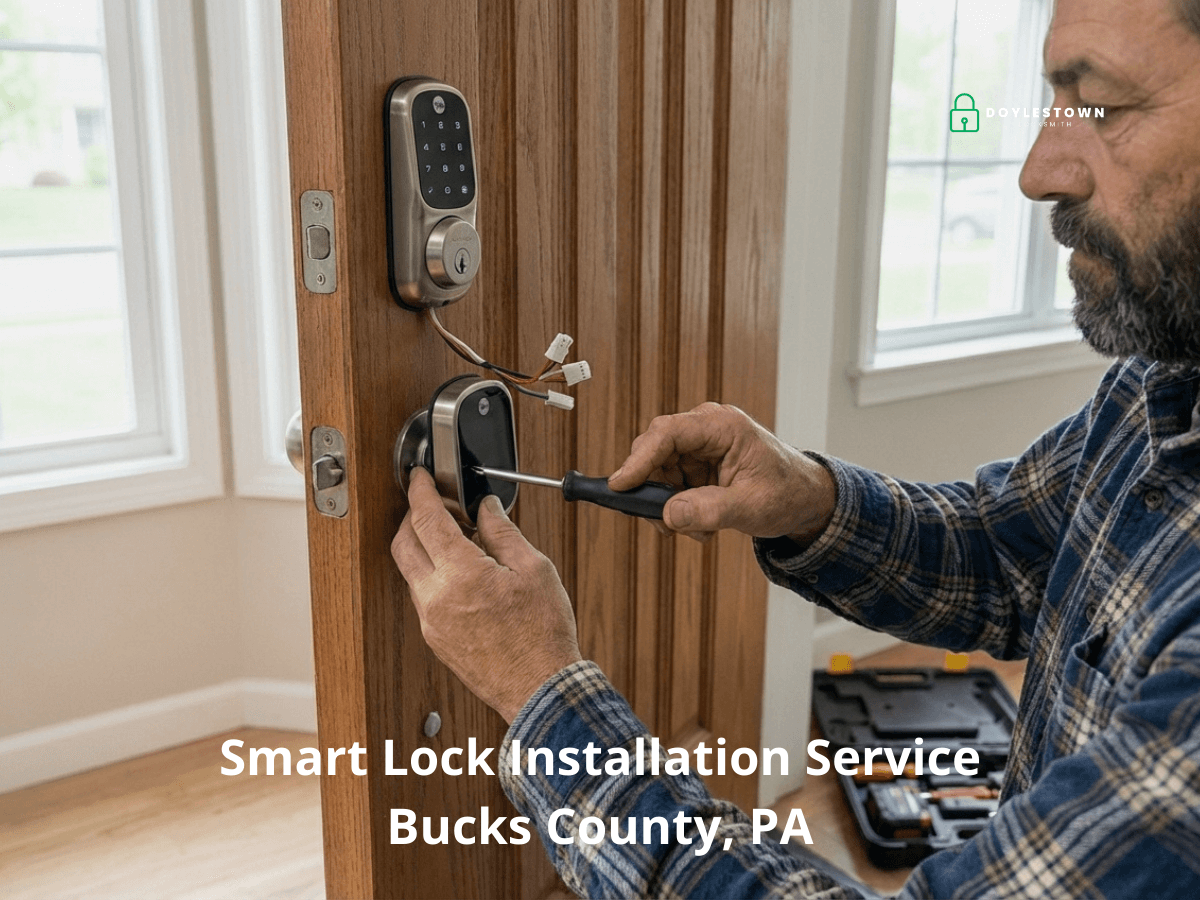
At Doylestown Locksmith, we specialize in professional smart lock installation for homes and businesses throughout Bucks County and surrounding areas. We ensure your smart lock is installed correctly, configured properly, and works reliably from day one.
When you need a smart lock - Real situations we handle
The Airbnb or rental property host. You manage 2-3 properties with constant guest turnover. You’re tired of coordinating key handoffs, meeting guests at midnight, worrying about lost keys or guests making copies. Smart locks let you generate unique access codes remotely, send them to guests via text, and have them expire automatically after checkout. It’s a game-changer for rental management.
The family with kids who lose keys constantly. Your teenagers lose their house keys monthly. You’re making emergency locksmith calls, cutting new keys, stressing about home security. Smart locks give each kid their own code. No keys to lose. You can even track when they get home from school. Problem solved.
The working parents are juggling access. Your kids get home before you do. The dog walker needs to get in at 2 PM. A contractor is delivering furniture on Thursday. You’re constantly coordinating who has keys and when. Smart locks let you create temporary codes for specific people and specific times. Remote unlock when needed. Total control without the complexity.
The elderly homeowner with mobility issues. Arthritis makes turning traditional keys painful and difficult. Fumbling with keys in the dark is frustrating and potentially dangerous. A smart lock with keypad entry means no more struggling with keys. Family members can also check remotely that they got home safely. It’s independence with a safety net.
The security-conscious homeowner. You worry about lost keys being found with your address. Traditional locks offer zero information about who entered when. Smart locks provide entry logs showing exactly when the door opened and which code was used. You get instant alerts on your phone. That’s real peace of mind.
The small business owner is tired of rekeying. Every time an employee leaves, you face a decision: rekey all locks or risk that they made copies. Over a few years, that’s thousands in rekeying costs. Smart locks let you revoke an employee’s access code instantly, for free. You never need to rekey for employee turnover again.
The office manager controls access for many employees. You manage access for 20+ employees, plus cleaning crews after hours and occasional contractors. Distributing and tracking physical keys is a nightmare. Smart locks let you assign schedule-based access codes. Employees only have access during their shifts. Perfect control without complexity.
The property manager juggling multiple locations. You manage multiple properties. Contractors need access to various units. Tenant emergencies happen. Driving around with dozens of keys isn’t efficient. Smart locks give you remote management of all properties from one app. Unlock remotely when needed. Grant temporary access to contractors. Efficiency multiplied.
Smart locks vs traditional locks - What you gain
| Feature | Traditional Lock | Smart Lock |
| Access method | Physical keys only | Codes, phone, key (backup) |
| Lost key solution | Cut new key, worry about security | Delete code, create new one |
| Temporary access | Give physical key, hope they return it | Create expiring code remotely |
| Employee/tenant turnover | Rekey | Revoke code (free) |
| Entry tracking | None | Full logs with timestamps |
| Remote access | Impossible | Unlock from anywhere (Wi-Fi models) |
| Forgot keys | Locked out, call locksmith | Enter code or unlock from phone |
| Annual cost | Key copies, rekeying+ | Battery replacement |
Types of smart locks explained
Standalone keypad locks
How it works: Battery-powered keypad with no internet connectivity. You program codes directly on the keypad.
Best for: Basic keyless entry, elderly users, those who don’t need remote access, budget-conscious buyers
Pros: Simple, no app needed, works without internet, most affordable.
Cons: Must be at the door to change codes, no remote access, no entry logs, no alerts
Bluetooth smart locks
How it works: Connects to your smartphone via Bluetooth when you’re within 30-50 feet. Your phone becomes your key.
Best for: Daily convenience for families, auto-unlock when arriving home, those who don’t need remote access when away
Pros: Auto-unlock as you approach, phone is your key, moderate cost.
Cons: Must be nearby to control, can’t unlock remotely when traveling, limited range
Wi-Fi smart locks
How it works: Connects directly to your Wi-Fi network, giving you control from anywhere with the internet.
Best for: Airbnb hosts, working parents, anyone needing remote access, security-conscious users wanting alerts
Pros: Control from anywhere in the world, real-time alerts when door opens, full app control, entry logs.
Cons: Higher cost, requires reliable Wi-Fi, uses more battery power
Smart home integration locks (Z-Wave/Zigbee)
How it works: Connects through a smart home hub like SmartThings, Alexa, or Google Home for deep integration.
Best for: Existing smart home users, those wanting automation (lights turn on when unlocked), tech enthusiasts
Pros: Deep integration with smart home devices, complex automations possible, very reliable
Cons: Requires hub, more complex setup, higher initial cost
Hybrid smart locks
How it works: Multiple connectivity options—typically keypad + Bluetooth + Wi-Fi in one lock.
Best for: Those wanting maximum flexibility, backup options if Wi-Fi fails, best-of-all-worlds approach
Pros: Flexibility, redundancy, multiple access methods, premium features
Cons: Most expensive, more features means more to learn, highest battery usage
Our recommendation: For most homeowners, Wi-Fi smart locks offer the best balance of features and value. For businesses, Wi-Fi or hybrid models provide the remote management needed. For basic needs, standalone keypads work great.
Key smart lock features explained
Auto-lock: Door automatically locks after 30 seconds (adjustable). Never worry if you forgot to lock up.
Auto-unlock: Lock recognizes your phone and unlocks as you approach (Bluetooth models). Hands full? No problem.
Temporary access codes: Create codes that expire after a specific time or number of uses. Perfect for guests, contractors, or dog walkers.
Scheduled access: Codes only work during specific days or times. Cleaning crew only has access Tuesday mornings.
Entry logs: See exactly when the door opened and which code was used. Know when kids got home from school.
Real-time alerts: Get phone notifications the instant your door opens. Know immediately if someone enters unexpectedly.
One-time codes: Generate codes that work only once. Great for deliveries when you’re not home.
Low battery warnings: Get alerts weeks before battery dies. Plenty of time to replace batteries before any issues.
Backup key access: Most models include traditional key override. If batteries die or electronics fail, you can still get in.
Addressing common smart lock concerns
What if the battery dies while I’m out?
Smart locks give you multiple weeks of low-battery warnings. You’ll know long before it’s an issue. Plus, most models have backup key access. Even in the worst case, our emergency locksmith service can get you in quickly.
Can hackers access my lock remotely?
Modern smart locks use bank-level encryption. They’re actually more secure than traditional locks because there are no physical keys to copy, lose, or steal. Plus, you have entry logs, if someone unauthorized entered, you’d know immediately.
What if my Wi-Fi goes down?
Wi-Fi models typically have backup Bluetooth connectivity. You can still unlock with your phone when nearby. Keypad entry always works regardless of connectivity. The lock continues functioning normally you just can’t control it remotely until Wi-Fi returns.
Are smart locks as secure as traditional deadbolts?
Yes. Most smart locks are built on Grade 1 or Grade 2 deadbolt mechanisms—the same security as high-quality traditional locks. The difference is they add features and eliminate the security risk of physical keys that can be copied or stolen.
What if I lose my phone?
You have backup access through keypads (if installed), backup keys, or codes known to family members. Plus, you can remotely disable your phone’s access through the manufacturer’s website before anyone could misuse it.
Smart home integration
Many smart locks integrate seamlessly with popular smart home platforms:
Amazon Alexa: Voice control (“Alexa, lock the front door”), routines (automatically lock when you say “Alexa, goodnight”)
Google Home: Voice commands, integration with Google Assistant routines
Apple HomeKit: Siri control, automation with other HomeKit devices, remote access through Apple TV or HomePod
Samsung SmartThings: Deep automation possibilities, integration with sensors and cameras
Ring: Integration with Ring doorbells and cameras for complete entry monitoring
These integrations enable powerful automations: lights turn on when the door unlocks, thermostat adjusts when you leave and lock up, security cameras start recording if the door opens unexpectedly.
Professional installation vs DIY
Smart locks seem simple to install—just replace your existing deadbolt, right? Not quite.
Common DIY installation problems:
- Misalignment: Lock bolt doesn’t align with strike plate, causing jamming and battery drain from motor working overtime
- Incorrect door prep: Hole size wrong, deadbolt doesn’t fit properly, security compromised
- Loose mounting: Hardware not secured correctly, lock becomes wobbly and unreliable
- Wiring issues: Incorrect battery installation or loose connections cause malfunctions
- App misconfiguration: Lock paired incorrectly, features don’t work as expected
- No testing: Lock seems to work but has issues that appear later
Professional installation ensures:
- Perfect alignment between bolt and strike plate
- Secure mounting without damaging door
- Correct calibration for smooth operation
- Full app configuration and testing
- Training on features and troubleshooting
- Warranty protection (DIY often voids warranty)
Most smart lock problems we’re called to fix are from improper DIY installation. Starting with professional installation saves money and frustration. If you need help with existing locks that aren’t working properly, our lock repair service can diagnose and fix issues.
Residential smart lock installation
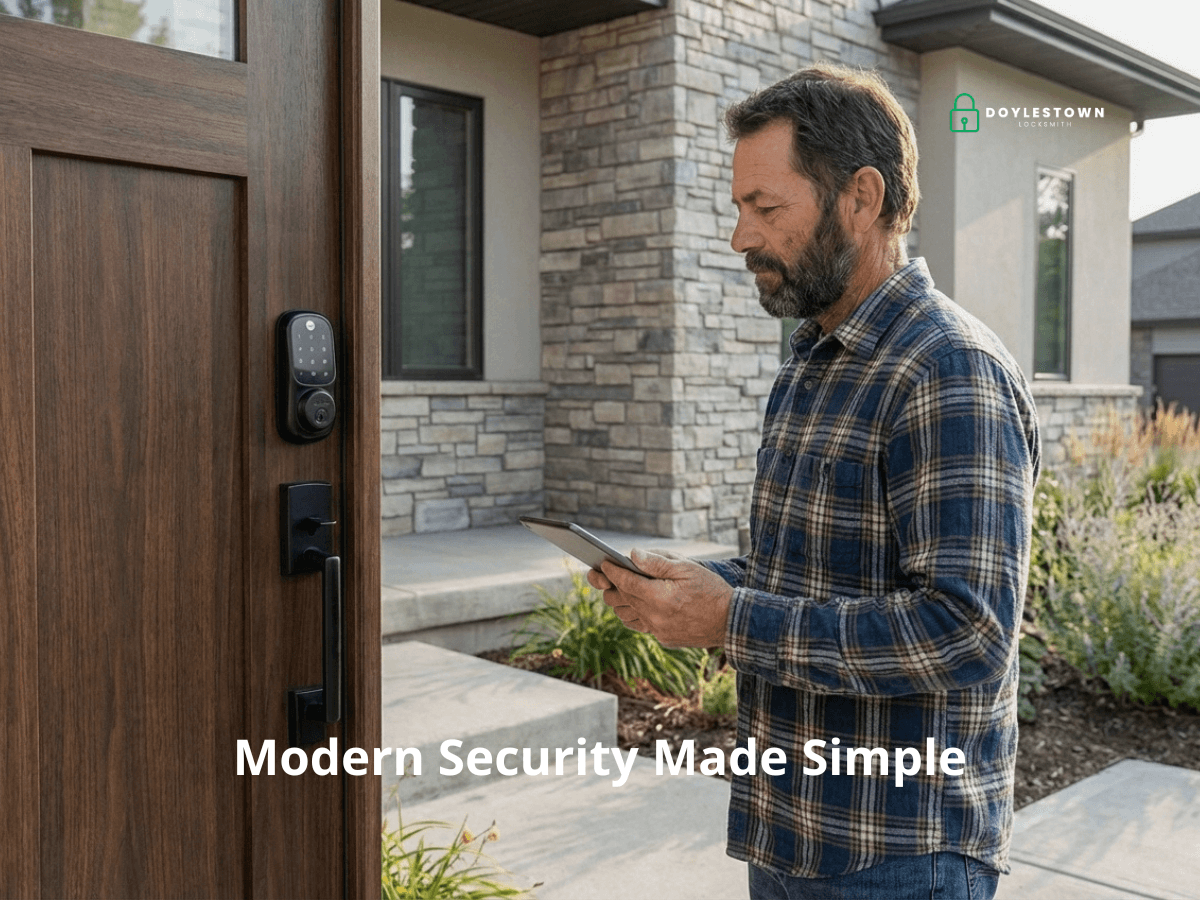
We install smart locks for homes throughout Bucks County:
Entry doors: Front, back, and side doors—the most common smart lock installations Garage entry doors: Connect garage to home with keyless entry Interior doors: Offices, bedrooms, or storage rooms needing access control Gate locks: For privacy fences or security gates
Whether you’re upgrading from traditional locks, moving into a new home, or adding keyless entry to a rental property, we ensure your smart lock installation enhances security and convenience.
For comprehensive residential locksmith services beyond smart lock installation, visit our residential locksmith page.
Commercial smart lock installation
Businesses throughout Bucks County benefit from smart lock access control:
Office buildings: Control employee access without managing dozens of physical keys Retail stores: Schedule-based access for employees, managers, and cleaning crews Medical practices: Secure sensitive areas with restricted access codes Warehouses: Track which employees accessed which areas and when Property management: Remotely manage access across multiple properties
Smart locks eliminate rekeying costs when employees leave. Simply revoke their access code—instantly and for free. For businesses needing more complex access control, we also install master key systems and can discuss which solution best fits your needs.
For complete commercial locksmith services, visit our commercial locksmith page.
Smart lock brands we install
We install and support all major smart lock brands:
- Schlage Encode – Wi-Fi built-in, no hub required, excellent reliability
- Yale Assure – Sleek design, multiple connectivity options, Apple HomeKit
- Kwikset Halo – Budget-friendly Wi-Fi, good for basic needs
- August Smart Lock – Retrofit design, works with existing deadbolt, easy installation
- Level Lock – Invisible from outside, fits in standard door, premium aesthetics
We can install the smart lock you’ve already purchased, or we can recommend the best option based on your door type, connectivity needs, budget, and intended use.
Investment and value
Smart lock pricing varies depending on the type of lock, the brand, and the complexity of the installation.
Basic keypad locks are the most straightforward option, while Wi-Fi enabled and premium hybrid models offer more features and remote capabilities at a higher price point.
Rather than quoting hardware and installation costs without knowing your specific doors, setup, and needs, we provide a free on-site estimate that covers both the lock and the installation together — so you get an accurate, all-in number before committing to anything.
What’s worth considering is the long-term value. Traditional locks come with ongoing costs that add up over time: rekeying after staff turnover, emergency lockout calls, key duplication, and the security exposure that comes with lost or unaccounted keys.
A smart lock eliminates most of these costs and concerns entirely. We’ll help you find the right option for your budget and walk you through the full picture — upfront cost, long-term savings, and which features actually matter for your situation.
For businesses: Smart locks often pay for themselves in 1-2 years through eliminated rekeying costs.
For Airbnb hosts: The convenience and security pay for themselves in just a few bookings.
For families: The convenience and eliminated lockout calls justify the cost quickly.
Our smart lock installation process
Consultation and assessment: We discuss your needs, remote access, multiple users, smart home integration? We inspect your door, frame, and existing hardware to ensure compatibility.
Recommendation: Based on your door and needs, we recommend the best smart lock option. We explain the pros and cons of different models honestly.
Professional installation: We remove your old lock (if needed), prepare the door properly, mount the smart lock securely, and ensure perfect alignment. Installation typically takes 45-90 minutes.
Configuration and setup: We connect the lock to your Wi-Fi (if applicable), set up the app on your phone, program your initial access codes, and configure all features you want to use.
Testing and training: We test every function thoroughly, locking, unlocking, auto-lock, codes, app control. We show you how to manage access codes, check entry logs, and troubleshoot common issues.
Documentation: We provide information about your lock, warranty details, battery type, and our contact info for future support.
Most smart lock installations are completed in under 90 minutes, and you’re fully trained on operation before we leave.
Where we install smart locks
We provide smart lock installation throughout Bucks County, PA and surrounding areas including:
Smart lock questions answered
How long do batteries last?
Typically 6-12 months depending on usage and features enabled. Wi-Fi models use more power than Bluetooth or standalone keypads. You’ll receive low-battery warnings weeks in advance, giving plenty of time to replace them.
What happens if batteries die completely?
Most smart locks include backup key access—a traditional keyhole that works even with dead batteries. Some models also have emergency battery terminals on the outside where you can touch a 9V battery to power it temporarily.
Can I still use regular keys?
Most smart locks include a key override. You can use traditional keys as backup. However, many people find they never use the physical key once they experience keyless convenience.
Will a smart lock fit my door?
Most smart locks fit standard doors with existing deadbolt prep. We assess compatibility during consultation. Some doors need minor adjustments, which we handle during installation.
How secure are access codes?
Very secure. Codes are 4-8 digits, providing thousands to millions of combinations. Most locks lock out after multiple wrong attempts. Plus, you can change codes anytime if compromised—something impossible with physical keys.
Can I give temporary access to contractors or guests?
Yes. This is one of the best features. Create temporary codes that expire after a set time or number of uses. Perfect for Airbnb guests, contractors, or dog walkers.
Do smart locks work with my existing deadbolt?
Some retrofit models (like August) work with your existing deadbolt. Others replace the entire deadbolt. We assess what’s best for your door and security needs during consultation.
What if I need to rekey my locks later?
That’s the beauty of smart locks—you likely never will. When someone loses access privileges, you simply delete their code. No rekeying needed, no cost, instant security.
Can I install multiple smart locks?
Absolutely. Most apps manage multiple locks easily. Airbnb hosts and property managers often have 5-10+ locks controlled from one app. We can install locks at multiple locations efficiently.
What kind of maintenance do smart locks need?
Very little. Replace batteries 1-2 times per year. Keep the keypad clean. Occasionally lubricate the bolt. That’s it. Much less maintenance than traditional locks that wear out over time.
What if my smart lock stops working?
We provide troubleshooting support. Most issues are simple: battery replacement, Wi-Fi reconnection, or app updates. For hardware problems, most manufacturers offer excellent warranties. We can also service or replace locks if needed.
Ready to go keyless?
Stop fumbling with keys. Stop worrying about lost keys or unauthorized copies. Start enjoying the convenience and security of professional smart lock installation.
When you call, please tell us:
- Your location
- Type of property (home or business)
- How many locks you’re considering
- Whether you’ve already purchased locks or need recommendations
- Your primary needs (remote access, tracking, smart home integration, etc.)
We’ll provide honest recommendations and accurate quotes.
Professional installation. Expert configuration. Reliable results.
Doylestown Locksmith – Your smart lock installation specialists in Bucks County, PA.